Automating Repetitive Personal Admin With AI
AI handles routine inbox sorting, scheduling, and expense filing to reclaim five hours weekly.
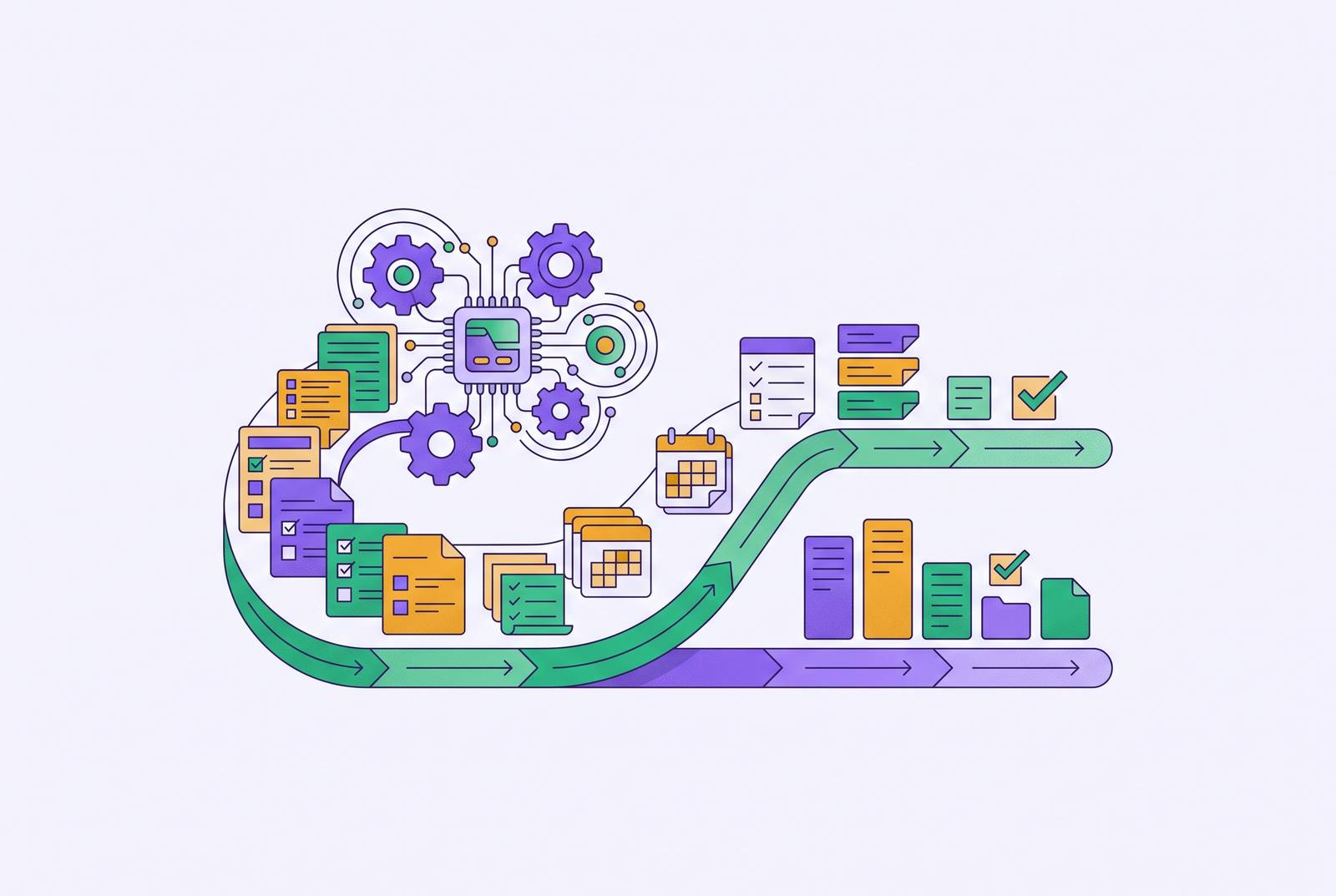
Personal admin, the email sorting, the meeting booking, the receipt filing, eats close to a full workday every week: 5.6 hours, according to Fyxer's Admin Burden Index, a survey of 5,000 UK and U.S. office workers from late 2025. Scale that across a workforce and the number stops being personal. It becomes structural, and most companies still treat it like a personal failing rather than a design problem they could actually fix.
Nearly half of U.S. office workers say admin overwhelms them, and half have thought about quitting a job partly because of it. That's a retention problem wearing a productivity costume.
So which is it: a personal failing, a sign someone needs better habits, or a volume problem that outgrew what any one person can manage by hand? The data points toward volume. Nobody's inbox got harder to manage because they got worse at email. The volume of low-value mechanical work quietly outpaced what a human brain was built to sort through one message at a time, and no amount of discipline fixes a math problem.
The four admin categories where AI makes the biggest difference
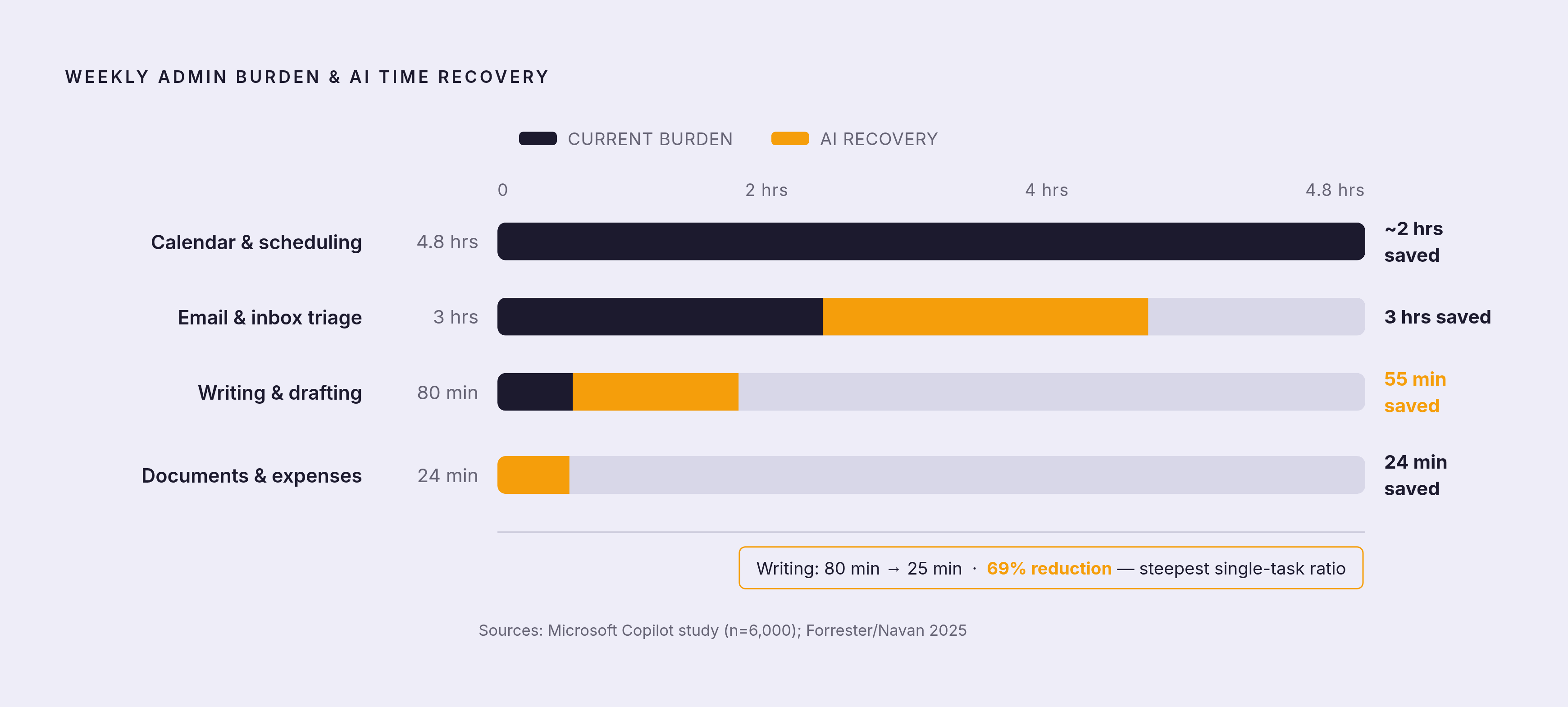
Four categories absorb most of that 5.6 hours: email and inbox triage, calendar and scheduling, document and expense handling, and writing and drafting. Look closely and a pattern shows up fast. Each involves a lot of repetition, needs very little judgment on any single instance, and racks up a surprising amount of time once you add it across a week.
They fail differently, though, and that's worth sitting with. Miss a priority email and a client relationship takes the hit. Double-book a meeting and someone's calendar turns into a scramble. A miscoded expense means finance spends an afternoon untangling it. Send a draft that's off-tone and the reader notices before they notice the content.
One rule holds across all four, and it's worth carrying into every section that follows: AI should handle the mechanical layer so a person can spend attention on the decisions only they can make. It routes the message; the strategy behind the reply stays with the sender. It finds the open slot; whether the meeting deserves to exist is a separate call entirely. That line separates a tool that gives back time from one that quietly creates new problems to manage.
Email triage: sorting, prioritizing, and drafting without reading everything
AI email management stopped being a niche feature fast. Adoption among enterprise teams has roughly doubled in about two years, and the tools that stuck around all do the same narrow set of things well. They filter and rank messages by importance, flag what needs a response, draft replies that sound like the person sending them, and clear out newsletter noise in bulk. None of that takes creativity. All of it takes time, and time is exactly the resource being handed back.
A peer-reviewed study of Microsoft's Copilot, covering 6,000 knowledge workers across more than 50 companies over six months, found users saved close to 3 hours a week on email, a 25% cut in time spent managing it. People with a typical inbox volume tend to land in the 1.5 to 2.5 hour range weekly; people buried in high-volume inboxes see 4 to 6 hours back.
The tools have started to specialize, and picking the wrong one for your volume is the most common mistake here. Superhuman Mail targets high-volume users, prioritizing the inbox and drafting suggested replies tuned to how someone actually writes; Grammarly acquired the company in late 2025. SaneBox works quietly in the background, moving low-priority mail into separate folders without touching the main inbox. Shortwave is Gmail-native and leans hard into AI summarization and thread management. Fyxer processed 1.4 billion emails in 2025 and reports users save an average of one hour a day on inbox admin.
Think of these tools less as an assistant and more as a skilled triage clerk. The clerk sorts the mail, drafts the routine replies, and flags what's urgent, but the clerk doesn't decide what actually matters. That call stays with the person reading the summary, and it should.
Getting started here doesn't need research. Pick one tool, run it on a real inbox for two weeks, and track time spent in email before and after. This category is mature enough that results show up within days, so there's no excuse for spending a month "evaluating options."
Calendar and scheduling: protecting time before meetings take it
Scheduling eats an estimated 4.8 hours a week on average, and almost none of it involves real thinking. It's mechanical: checking mutual availability, honoring stated preferences, sending confirmations, chasing the reply that never came. That's exactly the kind of task AI handles well, because there's a clear right answer and no ambiguity about what "done" looks like.
Good scheduling tools go past finding an open slot. They learn preferences over time: when someone does their best focus work, how much buffer they need between back-to-back calls, what their travel constraints look like. They reschedule automatically when priorities shift, cutting out the five-message email chain that used to come with that. Maybe most usefully, they protect blocks of focus time before meetings fill every open hour on the calendar.
A few tools have carved out distinct territory. Motion blends scheduling with task management, reshuffling the day automatically as deadlines move; it works well for individuals and small teams juggling both calendars and to-do lists. Reclaim AI puts its energy into protecting focus time and recurring habit blocks, scheduling deep work before meetings can quietly take over the day. Clara handles the messier instructions: inserting travel buffers, applying time-zone logic, rebuilding a day's schedule when plans fall apart. Calendly, with its newer AI features, focuses less on the booking itself and more on what happens after: reminders, follow-ups, logging the meeting into a CRM automatically.
The line stays the same as with email. AI finds the slot and sends the invite, but whether a meeting deserves to exist at all is still a human call, and it's the call people skip most often.
Scheduling tools need more upfront context than email tools before they start making good judgment calls instead of just finding open time. Making that investment pays off, though: a tool that actually understands work patterns starts making calls that used to need a person's attention.
Document handling, expenses, and receipt processing
This category covers expense reports, receipt capture, invoice matching, form filling, file organization, and reviewing routine contracts. It's the pile of work most people do inconsistently by hand, usually in a rush, usually a week after the receipt was worth remembering clearly.
AI expense management leans on machine learning and document parsing to track, code, audit, and reconcile spending without someone typing numbers into a spreadsheet from a crumpled receipt. A 2025 Forrester Total Economic Impact study on Navan found users saved 24 minutes per expense submission, with finance teams spending 40% less time on auditing and reconciliation. Multiply 24 minutes by a few hundred submissions a month and the savings stop being trivial.
Same line as before, though: AI can code a receipt and route it to the right category, but deciding whether the spend was reasonable in the first place stays with policy and judgment. Automation never replaces the person who has to sign off on whether an expensive dinner was a client meeting or a stretch, and pretending otherwise is how expense fraud gets waved through on autopilot.
Writing and drafting: reducing the blank-page problem without outsourcing the thinking
Drafting emails, writing status updates, summarizing meetings, putting together reports: this is admin work even when it doesn't feel like it. It's time spent building the container the content sits in, not time spent on the substance.
The savings here are large enough to check twice. A writing task that used to take 80 minutes on average drops to roughly 25 minutes with AI involved, a steep cut. That ratio holds up fairly consistently across emails, reports, and documentation, not just one narrow use case.
Here's what these tools are actually good at: producing a first draft, reformatting something that already exists, keeping tone consistent across a document, offering a few options for someone to pick from and edit. What they're less good at, and this matters more than the time savings, is supplying the perspective that makes a piece of writing worth someone's time to read. That part doesn't come from a model. It comes from the person who understands the situation the writing is actually about.
A few tools cover different parts of this workflow. ChatGPT handles conversation, drafting, and summarizing, while Claude leans toward longer synthesis and editing work. Grammarly builds tone-aware editing directly into the writing someone's already doing, rather than asking them to switch tools. Each fits a different moment in the process, and picking one over another matters less than actually using it consistently.
When email drafting, document summarizing, and meeting notes all run through the same underlying model, context carries across tasks: fewer repeated setups, better output the more the system sees. Spend the saved time editing and deciding, since that's where the actual judgment lives.
How agentic AI is changing what automation can handle end-to-end
Something structural is shifting underneath all four categories. AI is moving from a passive assistant, the kind that waits for a question and answers it, toward agentic systems that take multi-step action on their own, across apps, without a person prompting each step.
OpenAI's Operator showed what that looks like: an agent that takes multi-step actions across apps on its own. By July 2025, that capability had folded into ChatGPT as "agent mode." Google's Gemini is heading the same direction, with developments pointing toward something that runs quietly in the background across Gmail, Docs, Calendar, and Search, rather than a chat window someone opens on purpose.
For personal admin, the implication is direct. An agent that holds context across email, calendar, and documents, without needing someone to manually reconnect those threads every time, can chain a multi-step flow: receive an email, check the calendar, draft a reply, send a confirmation, all folded into what feels like a single action from the user's side. Tools like Vellum, a memory-powered AI assistant that takes autonomous actions across a person's tools, are built around exactly this kind of persistent, cross-app continuity.
That raises the stakes on setup, though. The more autonomous a system gets, the more it matters that someone set the right constraints beforehand and checks the output at the right moments. Agentic AI moves the judgment earlier, into the setup, rather than removing it from the loop. Worth saying plainly: this is still early, and smooth context-sharing across apps is rare in practice today. The most capable agents need careful configuration; they work best when someone's already decided exactly where they want a human checking the work.
Why integration into existing workflows determines whether any of this actually sticks
Here's a tension worth sitting with. Most AI users say the tools save them time and help them focus on work that actually matters. Yet large shares of employees and leaders describe their day-to-day work as chaotic and fragmented.
Those two things aren't contradictory once tool-level efficiency gets separated from workflow-level productivity. Saving 25 minutes drafting an email doesn't fix a fragmented workflow if the rest of the day still bounces between six disconnected apps. Individual gains and systemic gains get measured differently, and assuming one implies the other is the mistake most people make when they buy a new tool expecting it to fix the whole day.
The integration gap shows up clearly in Fyxer's Admin Burden Index: workers using AI tools fully embedded in their existing workflow report meaningfully higher productivity than workers relying on standalone tools that require switching context to use. Other organizations running Copilot pilots have found a similar pattern: users reported real personal time savings, but little measurable lift in organization-wide productivity metrics. Individual gains don't automatically stack into something the whole system notices.
Many workers, per that same index, feel like they lack the right AI tools set up for their needs. That gap between adoption and effective use explains a lot of the chaos numbers above, and it points to the actual mistake: people keep buying tools instead of building a stack.
The takeaway cuts against how most people shop for these tools: one tool that connects natively to email, calendar, and documents beats three standalone tools each requiring its own manual setup every session. Every time. The highest-leverage decision in any of this is deciding, on purpose, where AI acts on its own, where it drafts and waits for review, and where a human makes the final call.
Building a personal admin stack that covers the four categories without creating new overhead
Start with whichever category costs the most time personally, not whichever seems most interesting to automate. For most people that's email or scheduling; for anyone drowning in receipts and reports, it's the document category instead.
A basic stack, matched to the four categories. One dedicated email tool, chosen by volume and email client: Superhuman, SaneBox, Shortwave, or Fyxer. One scheduling assistant matched to the actual pain point: focus-time protection with Reclaim, full-day rescheduling with Clara, task-integrated planning with Motion. One tool for documents and expenses, fit to context: business expense reporting through Navan or a comparable platform, personal budgeting through an AI-augmented finance app, or document organization through an AI-native file tool. And one general-purpose writing assistant for drafting, sitting wherever drafting actually happens: inside the email client, inside the doc editor, or as its own interface for longer work.
Four tools, one per category, no overlap. That's deliberate, and it runs against what most people default to, which is downloading five apps and using none of them well. The integration principle matters more than tool selection: a tool that connects natively to apps already in daily use beats a better tool that demands its own separate step to consult.
As agentic tools mature, watch for a layer that holds context across email, calendar, and documents at once, spots recurring patterns, and routes tasks to the right tool without being asked each time. That's the connective tissue that turns four separate tools into something bigger than the sum of its parts. Fair to say that layer is still forming, not fully arrived.
Draw the human-judgment line clearly and keep it there. Use AI for routing, drafting, and scheduling, but keep human review for anything involving a commitment, a relationship, or a situation that doesn't fit the routine pattern. Those are the moments that deserve actual attention, not automation.
Expect email and drafting tools to show measurable results inside two weeks. Scheduling and document tools take longer, usually a few weeks of pattern learning before they hit their stride. Abandoning a scheduling tool after three days means judging it before it's had the chance to learn anything about how you actually work.
The goal is reclaiming attention for the decisions and conversations that actually need a person behind them, and letting the mechanical layer run quietly in the background where it belongs.