AI personal assistant apps compared by workflow automation depth
Automation depth matters more than model strength when choosing an AI assistant.
The term "AI personal assistant" now gets stretched over tools that do fundamentally different jobs, and comparing them feature-by-feature tells you almost nothing useful. A scheduling optimizer, a document copilot, and a cross-app agent builder all call themselves "AI assistants" in their marketing, but they sit at completely different levels of autonomy. One answers questions. One edits a spreadsheet inside a suite it already lives in. One can even run a chain of actions across five different apps while you sleep. What matters isn't which assistant has the smartest model behind it, but how far into a workflow the automation actually reaches before it hands control back to a person and waits.
The three-tier automation depth framework
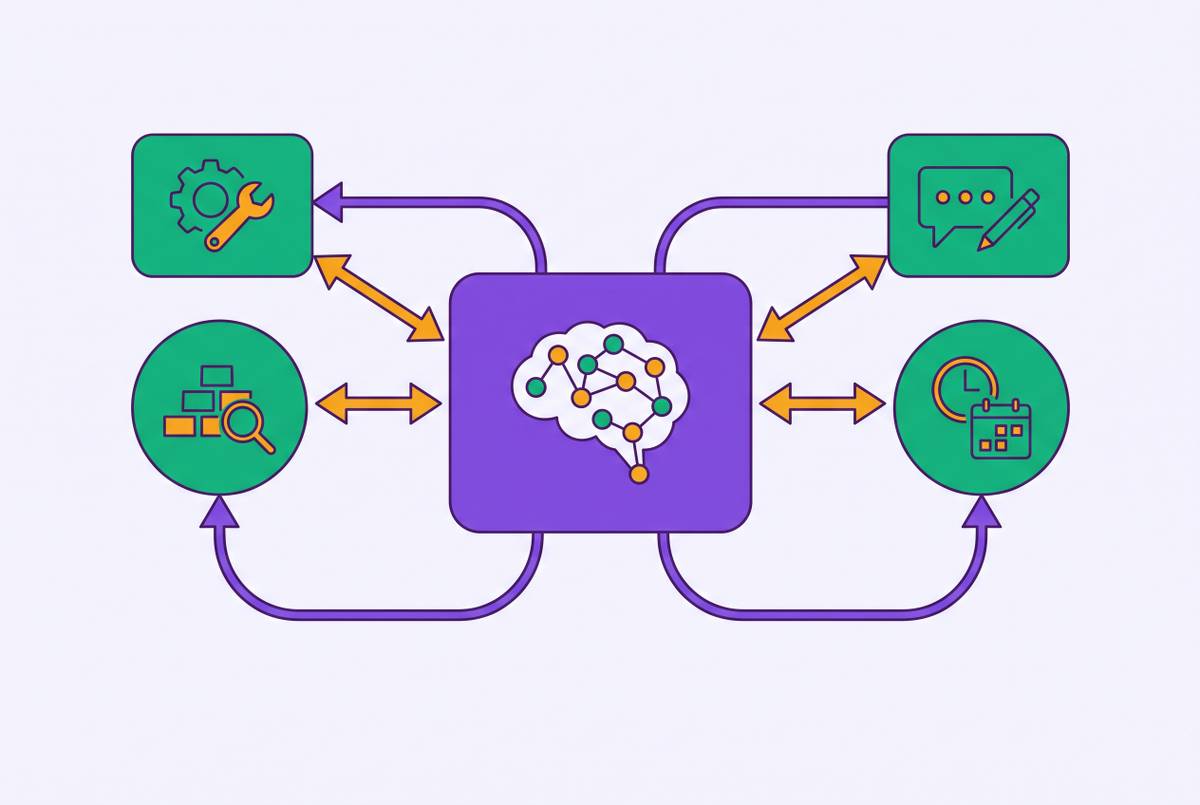
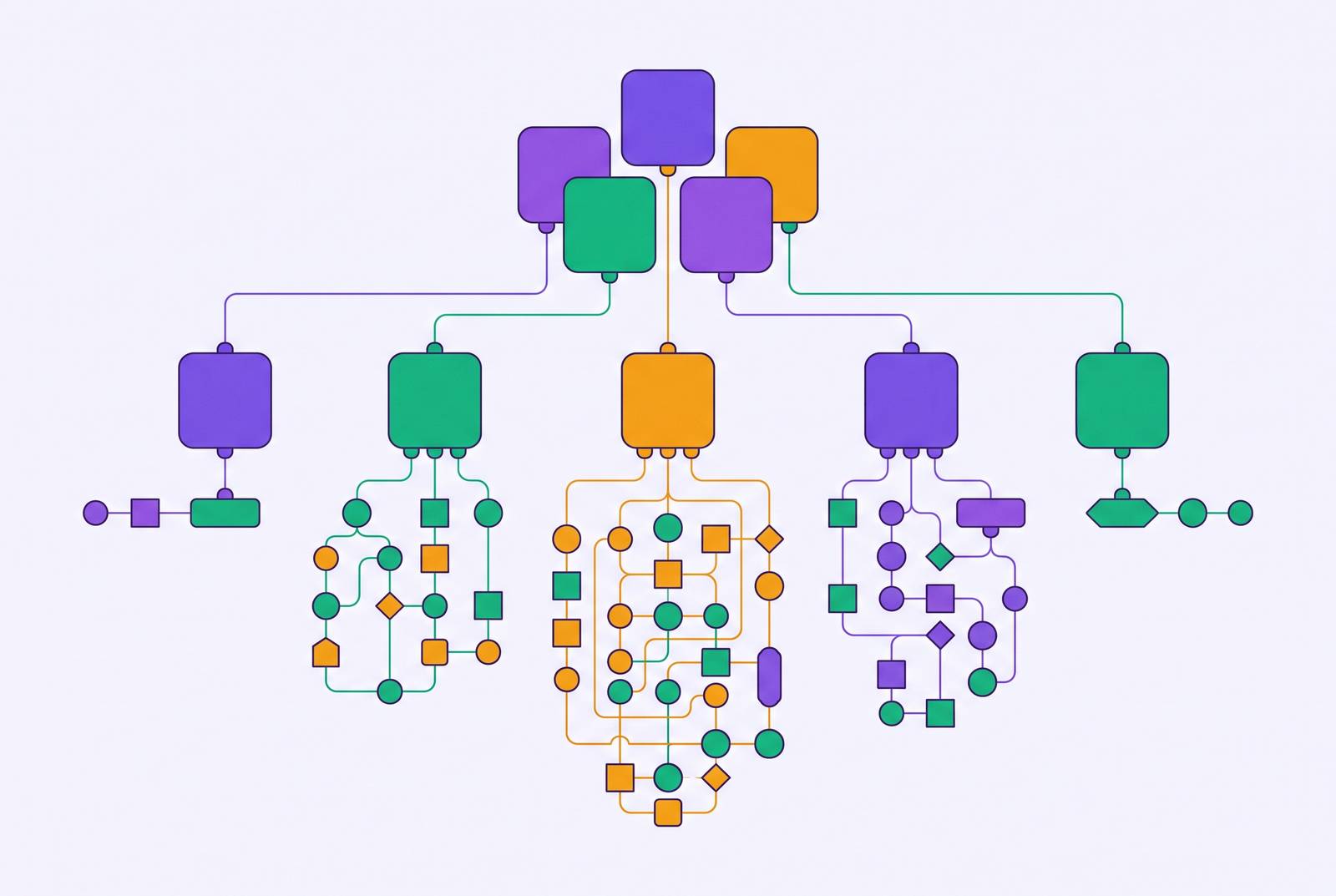
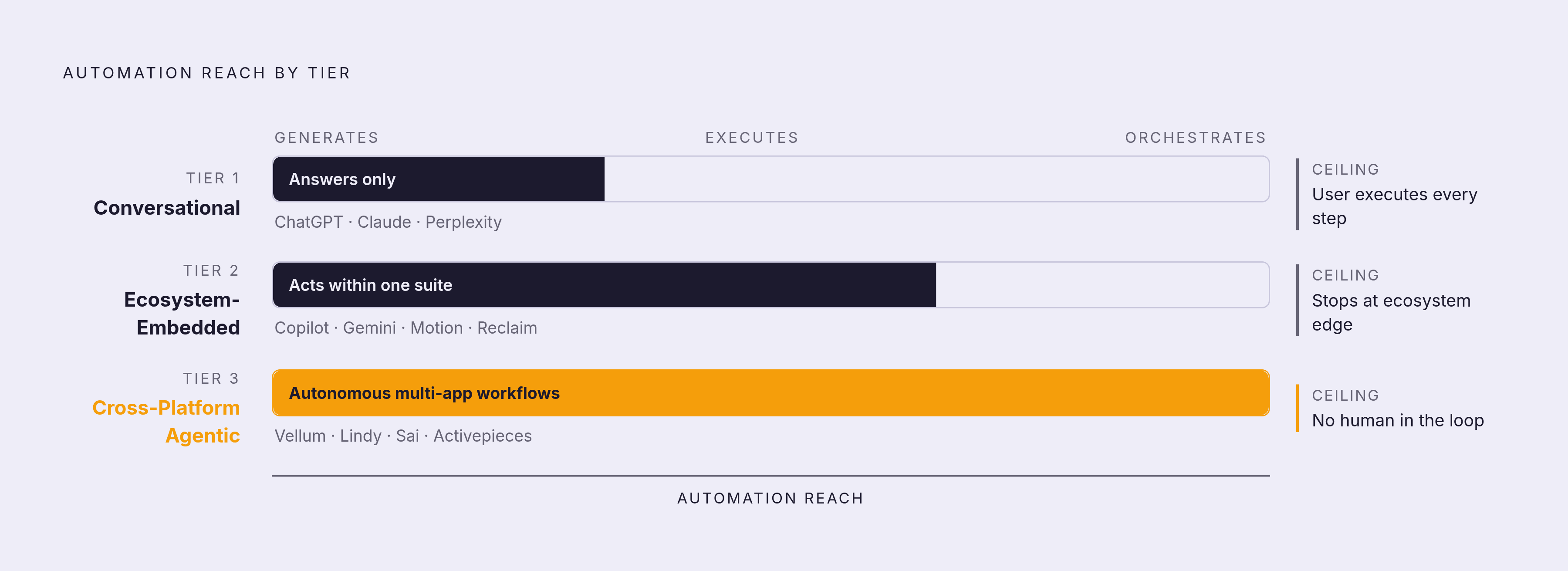
AI personal assistants split into three tiers, and the split comes down to how far the automation goes: does it just generate an answer, does it act inside one company's ecosystem, or does it run full workflows across platforms on its own? Tier 1 covers conversational tools like ChatGPT, Claude, and Perplexity. They generate content and answer questions on demand, but they don't reach out and act on other tools, so the person using them still carries out every step by hand. Tier 2 covers ecosystem-embedded copilots like Microsoft Copilot and Google Gemini for Workspace. These automate real tasks, but only inside one vendor's suite of apps, and they stop cold at that ecosystem's edge. Tier 3 covers cross-platform agentic tools like Vellum, Lindy, and Sai by Simular. These connect multiple apps at once and run autonomous, multi-step workflows across ecosystems without needing the user online to supervise each step.
These tiers aren't a ladder of quality, and a Tier 1 tool is the right call for plenty of people, so climbing to a higher tier isn't automatically an upgrade. The framework exists to match automation depth to the actual shape of a workload, not to crown a winner. A writer who needs a research partner has no use for a cross-app agent monitoring their inbox. A founder drowning in scheduling back-and-forth has no use for a chatbot that just answers questions well. Depth matters only when the work demands it.
Tier 1 tools: what conversational assistants can and cannot do
Conversational assistants are strong at generation and analysis, but if a task needs to touch another system, the automation stops right there. ChatGPT handles writing, planning, coding help, file analysis, image generation, and the kind of everyday problem-solving that doesn't require leaving the chat window. On paid plans, it connects to Gmail, drafts messages, and sends them once the user approves, through a native Gmail connector, though free-tier users still handle sending on their own. Pricing runs from a free tier up through Go, Plus, Pro, and Business plans at various rates, with Enterprise priced on request.
Claude fits long-form analysis, document review, and reasoning through complicated problems, with a free tier and paid plans starting from a monthly fee, though its integrations stay limited and it doesn't act on external tools on its own. Perplexity attaches web citations to its answers, so hallucination risk drops, and that makes it a strong pick for research and competitive intelligence. All three share one trait: they respond to what's asked but don't execute.
The gap appears in a simple request. Ask ChatGPT to "send a follow-up email to the client," and what comes back is a template. You still have to open Gmail, find the right thread, paste the draft in, and hit send. That boundary is built into what Tier 1 tools are designed to do, not a flaw in the model.
Tier 2 tools: what ecosystem-embedded copilots unlock
Ecosystem-embedded assistants produce the fastest payoff of any tier, because they live inside tools people already use every day. That speed comes with a ceiling, and the ceiling sits exactly at the edge of the vendor's own ecosystem.
Microsoft 365 Copilot sits directly inside Word, Excel, Outlook, PowerPoint, and Teams, so there's no separate app to open or context to rebuild. It now offers GPT-5.6 alongside Anthropic's Claude models, including Claude Sonnet 4 and Claude Opus 4.7, switchable right inside the Copilot interface. The old complaint that Copilot is "just OpenAI in a wrapper" doesn't hold up anymore. The ceiling is specific: Copilot connects to HubSpot, Notion, Salesforce, and other outside tools through Federated Copilot Connectors and Graph connectors, and most of those connections are read-only. Slack integration stays limited, and context mostly stays locked to a single document, so it doesn't carry across sessions or files. You pay a per-user monthly fee on top of what you already pay for Microsoft 365. If a team is already fully committed to the Microsoft 365 stack, Copilot makes the most sense.
Google Gemini for Workspace follows the same pattern from the other side. It is embedded directly into Google Workspace apps. It's embedded across Gmail, Docs, Sheets, Slides, Meet, Drive, and Chat, and a feature called Personal Intelligence pulls context from Gmail, Photos, YouTube, and Search history to personalize what it returns. Gemini Spark, which cleans up folders and turns local files into Docs and Sheets summaries, is rolling out first to Google AI Ultra subscribers only. The ceiling here has moved recently: Gemini can now reach Salesforce and Asana through MCP integrations as of September 2026, and Gemini Enterprise is accessible inside Slack. Even so, memory doesn't carry between separate sessions outside a Workspace file, and outside Google's own apps, Gemini starts to feel like an ordinary chatbot. Pricing spans a free tier plus Google AI Plus, Pro, and Ultra plans, and each one has a different monthly rate. Gemini fits teams already standardized on Google Workspace.
A detail that gets skipped in most comparisons: both tools roll out through admin consoles IT departments already know, so license management, data controls, and access all run through familiar systems. For an organization already standardized on one suite, that's a genuine, quiet advantage, not a footnote.
The same ceiling applies to scheduling specialists, which belong in this tier even though they're narrower in scope. Motion and Reclaim both automate deeply within their own domain, calendar and task management, but neither one can draft the email that got scheduled or research the client for tomorrow's call. Reclaim.ai connects to Google Calendar and Microsoft Outlook Calendar, auto-schedules habits, protects focus time, and finds the best open meeting slots, with a free-forever plan plus Starter, Business, and Enterprise tiers billed annually per seat. Motion combines an AI calendar with task management in one dashboard, aimed at people who want calendar and projects in a single place, for a monthly fee.
Tier 3 tools: how cross-platform agentic workflows work
Cross-platform agents close the execution gap that defines Tier 2's ceiling, so you get work across app boundaries without a human bridging each connection manually. That power comes at a cost: configuring these systems takes real effort, and they raise governance questions that Tier 2 tools simply never have to answer.
Vellum is built for engineering and product teams that need an AI-native workflow layer rather than a point solution. It functions as a reasoning engine that understands context, learns patterns over time, and orchestrates multi-step automations across tools while keeping a human in the loop for judgment calls. Non-technical teammates can sketch out the logic for a workflow, and then engineers harden and extend it through SDKs and CI/CD hooks. What sets it apart in this tier is that testing, versioning, and observability, including node-level traces and cost and latency dashboards, are built in as first-class features rather than bolted on, covering a layer of production-readiness infrastructure that most agentic tools skip entirely.
Lindy takes a different approach, building AI agents it calls "Lindies" that trigger off events: a new email landing, a meeting ending, a keyword showing up in Slack. Once triggered, a Lindy runs a multi-step chain across connected apps, and nobody has to step in manually. Its integration list covers Gmail, Google Calendar, Outlook, Slack, HubSpot, Salesforce, Notion, and a long list of others, and a template library ships pre-built agents for meeting prep, follow-up drafting, CRM updates, and research digests. Pricing starts at $49.99 a month on the Plus tier, climbs through Pro and Max at higher rates, and Enterprise is priced separately. Lindy has real limits: it isn't a notetaker, it doesn't manage calendars the way Reclaim does, it gets configured per workflow rather than learning per conversation so it lacks a personal identity layer that carries across contexts, and its value scales directly with how much email and calendar volume a person actually has.
Sai by Simular works across both the browser and desktop software, browsing the web, filling out spreadsheets, sending emails, and chaining multi-step workflows without someone watching every click. The research describes it as currently the only consumer-facing product that works across both browser and desktop applications at once. Activepieces takes an open-source route, MIT-licensed, and shipped AI agents, built-in tables, and hundreds of MCP servers in 2026. MCP, the Model Context Protocol, is an emerging standard that could reduce ecosystem lock-in over time by letting tools from different vendors call each other directly. Activepieces suits engineering-forward teams that want full control over their own infrastructure rather than a managed product.
None of this comes free. A common pattern in Tier 3 rollouts: a team sets up a workflow tool, and a quarter later that workflow is half-broken, with the team back to doing the work by hand because the tool's interface sat too far from where people actually worked day to day. That's a configuration tax, and it's a legitimate cost of this tier, not a minor inconvenience. There's a governance cost too. Connecting multiple agents to the same inbox and calendar can produce duplicated tasks, actions that conflict with each other, and unnecessary access to private information. Approval gates for high-stakes actions, sending a contract, approving a payment, deleting a file, keep an agent that saves time from turning into one that creates a mess somebody else has to clean up.
Where this tier earns its complexity is judgment calls. Rule-based connectors tend to break down on unstructured input, but agents handle tasks like "classify this customer email, route it based on intent, respond if the risk is low" without needing every branch mapped out in advance. Conversational tools can't touch that kind of work, and ecosystem copilots can't reach past their own walls to do it either.
The gap between generating a solution and actually executing it is where these tiers diverge most sharply. Asking ChatGPT to send a follow-up email produces a template that still needs a human to open Gmail, find the thread, paste it in, and hit send. Assistants built with persistent memory, Vellum among them, can carry that workflow through start to finish once they understand how someone typically handles that kind of email, and they hold onto that context across sessions rather than starting fresh each time.
Ecosystem-embedded assistants win fast inside a single vendor's suite, but the moment a workflow crosses from Slack to HubSpot to some custom internal tool, that automation depth runs out. Cross-platform tools exist to close exactly that gap: they learn a person's preferences across disconnected systems and carry out actions, so nobody has to stitch each integration together by hand.
Specialized tools that sit outside the tiers but fill real gaps
Not every useful tool fits neatly into a tier, and some solve one specific problem so completely that automation depth isn't really the point. For someone whose entire bottleneck is that one problem, these tools beat anything in the three-tier stack.
Otter.ai handles real-time transcription plus AI summaries, and it's the strongest pick for anyone documenting meetings across mixed platforms, say Zoom, Google Meet, and Teams all in the same week. It's free to start, with paid plans available from a monthly fee, and it's built for teams working across platforms rather than as a general workflow automation tool.
alfred_ works as an AI executive assistant across Gmail, Outlook, and calendar apps, drafting replies, pulling tasks out of messages, and preparing daily briefings. It's aimed at founders, consultants, and executives whose time disappears most into inbox triage and scheduling, priced monthly or annually with a 7-day free trial.
Clara exists for one job: handling the back-and-forth of scheduling over email. It fits people coordinating a high volume of meetings, and runs about $99 a month. None of these three compete directly with the tiered frameworks above. They compete with the specific hours a person loses to one recurring task, a different, narrower kind of value weighed on its own terms.