Slack Notification Architecture for Deep Work Schedules
Smart notification rules let deep work happen without cutting off real urgencies.
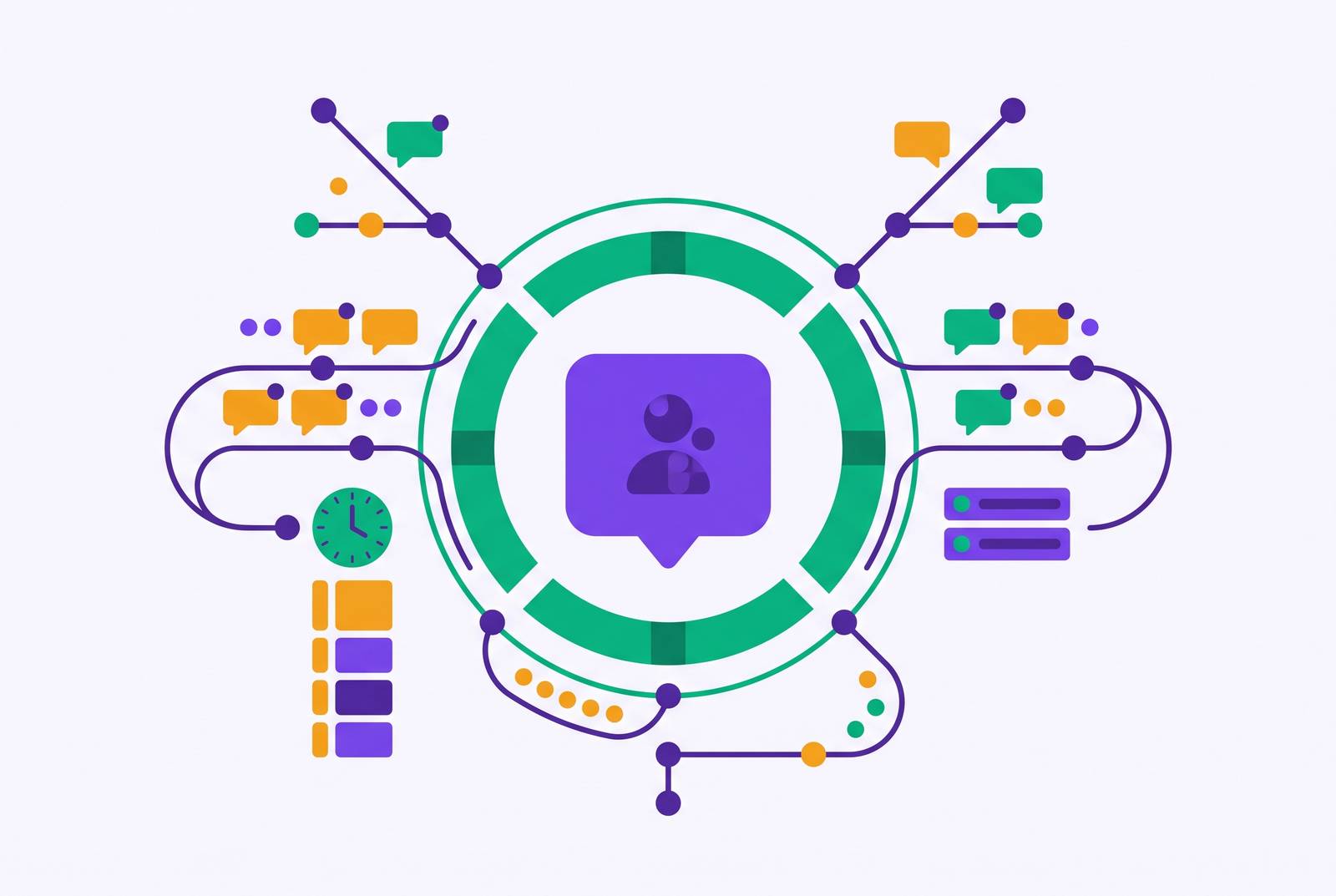
Slack notification architecture for deep work schedules starts with a structural problem. A system that keeps attention on standby can exhaust focus even between pings. Protecting deep work without going dark therefore takes more than muting notifications. It takes connected rules for which messages deserve attention, when they can interrupt, and how genuine urgency reaches the right person.
What unmanaged notifications actually cost a person doing knowledge work
The largest cost of an interruption comes after the message has been read. It can take roughly twenty-three minutes to fully refocus, so repeated pings can use up the time between them that could otherwise go to sustained work. Brief interruptions can also damage accuracy. A break of under three seconds can meaningfully increase sequence errors on complex ordered tasks, making the interruption more than a small delay for an engineer, writer, or analyst.
What about periods when no message arrives? Nearly half of interruptions are self-initiated, with unread badges and fear of missing something prompting people to check. Quiet is not the same as freedom from monitoring. The related concept of “vigilance decrement” describes attention declining over time during sustained vigilance.
Slack has already improved part of this problem. It replaced its legacy preference models with options centered on all new posts, mentions, or mute, and separated notification intent from delivery. People can follow activity inside the app without receiving push notifications for it. People used notification settings more, and the vast majority chose defaults for mentions and direct messages.
Those improvements leave important work unfinished. Better defaults do not set a deep-work schedule, rank channels by priority, or decide how emergencies reach someone who is unavailable. Given the recovery cost, patching one setting cannot do the whole job. Global preferences need scheduled DND windows, per-channel rules, keyword filters, and an agreed escalation path.
The global notification settings that form the foundation of any focus architecture
In Preferences > Notifications, the global default can be changed from “all messages” to “direct messages, mentions, and keywords. This removes much of the ambient noise while retaining messages more likely to need a response. It establishes a baseline. Channel exceptions and time-based rules can then refine that baseline without making every conversation an interruption candidate.
Keywords need the same restraint as channel subscriptions. Terms such as a person’s own name or company name often pick up messages that refer to them without asking them to act. Keep the triggers tied to work that may need attention, using terms such as “blocked,” “approval,” “urgent,” and “outage.”
Matching notifications to actual working hours makes availability a recurring rule. Slack makes admin-set Do Not Disturb hours available on all plans for workspaces and Enterprise organizations. During those hours, Slack does not send desktop or mobile notifications to members unless they have set their own schedules.
That gives the organization a policy-level control. A team can start with the same quiet hours and let people set their own schedules to match the hours they work. The distinction is important because a personal preference and a team-wide expectation are not interchangeable, even when they happen to specify the same quiet hours.
Scheduling DND windows around deep work blocks, and the slash commands that make it fast
Working hours define when someone is generally available, but they do not distinguish collaboration from concentrated work. A recurring notification schedule sets aside time for concentrated work by pausing notifications at set hours on set days. One common pattern protects 9–11 AM on weekdays for deep work. The schedule does the remembering for the person.
Unplanned focus sessions need a faster control. The commands /dnd for 2 hours, /dnd until 3pm, and /dnd until tomorrow morning immediately pause notifications for the specified window without a trip through settings. They complement the recurring schedule.
Yet a silent device tells colleagues nothing. A custom status such as “In deep work until 11:30 AM – DMs paused” explains both the absence and its expected end. That reduces uncertainty about whether a message was overlooked or the recipient is unavailable. It also reduces the impulse to follow up elsewhere simply because no answer has arrived.
The pairing addresses two different sources of interruption. DND controls delivery, while the status communicates availability to people who might otherwise seek a response through another channel. Neither decides whether a message is truly urgent. That requires rules about the work itself as well as the clock.
Structuring channels so notification load reflects actual work priority
A focus schedule cannot compensate for a workspace where every channel appears equally important. Much of Slack’s noise comes from channels in which a member’s involvement is peripheral. Membership creates a subscription, but it does not establish urgency. A channel can be useful to read without deserving immediate access to attention.
Tier one gives instant notifications to active project channels where the member’s input is genuinely time-sensitive. Tier two uses badges without sound or push notifications for channels with useful context that can wait. Tier three fully mutes FYI, social, and automated log channels so people can choose to read them at set times.
The bell icon on each channel lets people set the per-channel overrides for these tiers without changing global settings. A muted channel can therefore coexist with a priority channel configured for immediate push delivery. These rules sort relevance, while DND governs availability. Treating those as separate decisions prevents “important project” from becoming an assumption that every update deserves an interruption at every hour.
Channel navigation should reflect the same priorities. Starring a small set of priority channels keeps them at the top of the sidebar, reducing the temptation to wander through lower-tier conversations during check-ins. Archiving stale channels and resisting a new channel for every project also reduces the load the tiers must manage.
Building a high-signal escalation path so DND does not mean going dark
What happens when production fails during a focus block? When engineers who cover production systems, support leads, and coordinators who work with clients use blanket DND, their colleagues may bear the cost. That is a real objection to indiscriminate silence. A workable architecture needs an emergency route.
A dedicated channel such as #urgent-interrupt gives the team a place to declare that something cannot wait. Its pinned definition can name qualifying events, including production outages, client escalations, and deadline-critical blockers. Posting there tells the whole team that a message is urgent. That small amount of friction helps separate an actual need for immediate help from a sender’s preference for a quick answer.
Members can configure that channel for full push notifications while keeping ordinary channels within the tiered structure. However, a channel’s priority setting should not be confused with an established route through a quiet period. The team also needs to agree when urgency warrants a phone call.
The definition is as important as the destination. Without shared criteria, every sender can privately decide that their own request qualifies. Agreeing on those criteria turns escalation from a personal judgment imposed on the recipient into a team rule. That rule is what allows ordinary messages to wait without making silence feel unsafe.
Why individual settings fail without team-level norms to back them up
An individual cannot establish asynchronous communication alone. If everyone else expects near-instant responses, the person using DND may acquire a reputation for being unresponsive despite following a sensible focus schedule. No notification preference can resolve that conflict.
Leadership behavior sets the strongest practical example. When a manager sends non-urgent messages during stated focus hours, the team can read that behavior as an expectation of availability, regardless of written policy. The most useful thing a team lead can do is stop sending non-urgent Slack messages during those windows.
Written agreements then give the example a usable form. Teams need explicit criteria for the escalation channel, for a phone call, and for messages that can wait until the next check-in. For async-first engineering teams, the recommended pattern is to retain direct-mention notifications and check Slack at designated times, including the start of day, midday, and before the end of day. Genuine urgency goes to a phone or video call.
This only works when the agreement applies to everyone. Otherwise, protected time remains a private arrangement that colleagues can unknowingly undermine. The architecture gives the team specific things to agree on, including response windows, notification tiers, and escalation rules. That is easier to agree on than an abstract promise to improve “communication culture.”
How AI triage is changing what notifications need to reach a human at all
The next architectural question comes before delivery. Does a person need to receive this message yet? AI-powered triage can classify, prioritize, and route messages before they consume an expert’s attention. In large organizations, repeated internal questions offer a specific opportunity because answering them automatically can prevent an interruption.
Tinybird’s 2026 migration from JIRA to Plain illustrates the value of reorganizing intake. It consolidated Slack Connect channels, community Slack, and email into a unified queue. Plain’s official case study reports that enterprise first response times dropped from one hour to 12 minutes, while resolution times fell from six days to two hours. Those results show what happened when intake was reorganized, but they do not prove that AI alone made it better.
Slack expanded Workflow Builder’s AI capabilities on May 21st, 2026, with the new “Generate AI response” step. The step can summarize, translate, and draft from a single prompt. Those capabilities give teams specific building blocks for AI-assisted workflows, rather than requiring every routine response to begin with a person composing it.
AI can handle classification and routine drafting, while people handle decisions that require context, relationships, or judgment the system cannot supply. The purpose of this layer is to reduce avoidable demands on attention. It should leave humans with more room to decide.
Putting the layers together into a working notification architecture
During a protected block, DND pauses delivery and the status tells people when they can expect replies to ordinary messages again. Channel tiers preserve the distinction between priority work and background context for the next check-in. The team’s escalation rules decide what needs a person’s attention right away and how to reach them. AI triage can remove repeatable queries before they enter that human queue.
Check-in windows need structure of their own. Starred channels give people a place to start, while keeping replies in threads holds related conversation together and archiving channels cuts clutter. Task integrations such as Todoist and ClickUp can move action items out of threads. Voice dictation tools and AI writing layers can reduce the effort of composing responses, making designated check-ins easier to sustain without turning them into continuous monitoring.
When an attempt fails, the missing connection offers a diagnostic. Someone who uses personal DND without channel tiers can face more badges than they can cope with as soon as the quiet period ends. Organization-wide DND without an escalation route can provoke workarounds through calls, emails, and DMs. A planned emergency call is part of the architecture, while a call prompted by uncertainty is a sign that availability or escalation rules remain unclear.
The goal is control over when attention is given, which work deserves it, and who can interrupt for a reason the team has agreed is sufficient. Deep work becomes compatible with being a dependable colleague when those decisions are made together.